


CloneAI AI Video Generator
2.81.68K Reviews
App Specs
- Version
- 10.3.1
- Updated On
- License
- Free
- Downloads
- 1,000,000+
- Developer
- Pixery Bilgi Teknolojileri
- Categories
- Photography
- Platform
- Android
Screenshots
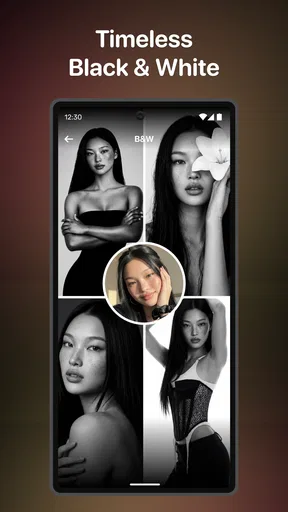
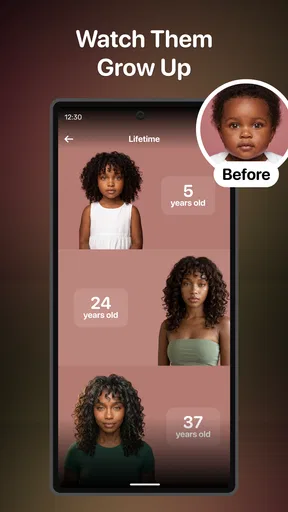
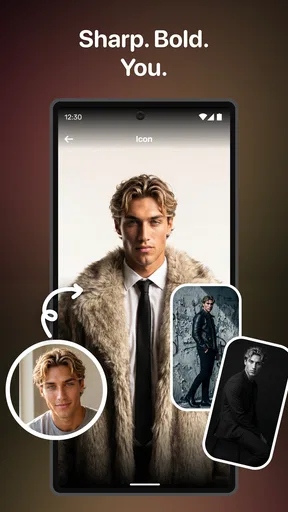
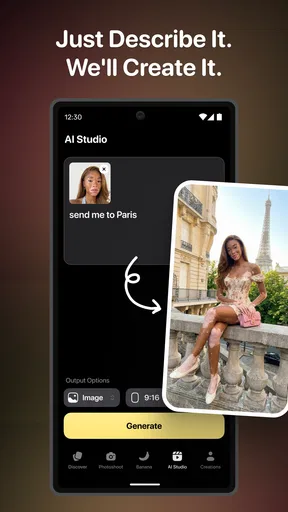
 Analysis by AppCompare
When I use a mobile video app, the clever effects matter less if the process stalls whenever I’m away from a reliable connection. That is especially relevant with CloneAI AI Video Generator, a photography app from Pixery Bilgi Teknolojileri that leans on AI-styled creations and playful transformations. I’d approach it as a tool for experimenting with photos and short-form visual ideas, rather than as a dependable replacement for a full video editor.
Where the connection becomes part of the workflow
AI effects are different from ordinary trimming or cropping: the app needs to process a transformation, so a stable connection is worth having when you start a creative task. I would choose the image and effect when I have a few uninterrupted minutes, rather than begin a generation while moving between weak public Wi-Fi and mobile data. That small bit of planning makes the experience feel less stop-and-start.
For a quick social post, the network can shape the whole session. If I have a clear idea and the connection is behaving, I can focus on comparing styles and deciding which result fits. If I’m in a rush, I’d avoid making the final post depend on an effect I haven’t finished generating yet. Keeping a simpler, already-edited image or clip ready is a sensible fallback, not a workaround that requires special app features.
Good moments to use it on a phone
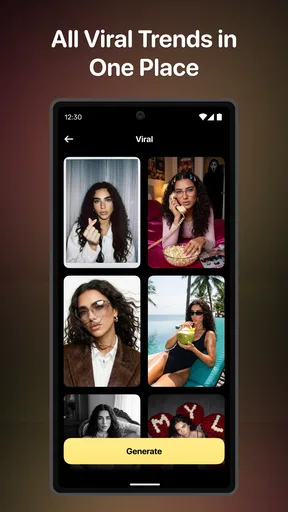
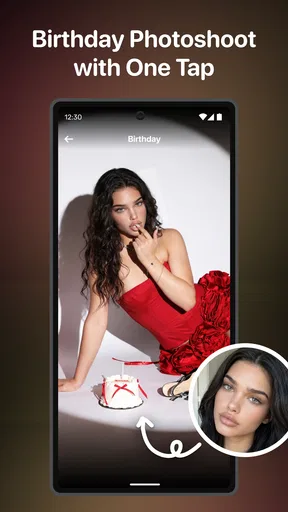
The app makes the most sense when I have a photo that could become a lighthearted visual surprise: a portrait for a group chat, a playful image to share with friends, or an experiment with an anime-inspired look. Its themes also point toward imaginative, personal creations such as a future-baby-style result or a romantic effect. I’d treat those as entertainment, not as realistic predictions or meaningful statements about a relationship.
A practical example: I might take a portrait during a family gathering, wait until I’m somewhere with a steady connection, and try a couple of contrasting effects. I’d keep the original untouched, compare the results on the phone screen, and send only the one that feels amusing to the people in the picture. That approach helps avoid turning a novelty edit into an awkward surprise.
As a mobile tool, it suits spontaneous play better than careful, frame-by-frame production. For a polished project with precise timing, detailed audio mixing, captions, or a carefully controlled sequence of cuts, I’d reach for a conventional editor built around a timeline. CloneAI’s appeal is the transformation itself; it is not the obvious pick when exact control over every edit is the priority.
What to do when a generation disappoints
AI results can be unpredictable, so I wouldn’t assume the first version will be the one worth sharing. A useful habit is to choose a clear, well-lit source photo with the subject easy to distinguish from the background. That doesn’t guarantee a better result, but it gives the effect cleaner material to work with and makes it easier to judge whether a style suits the image.
Worth Reading Before You Choose

EA SPORTS FC Mobile 26 Is a Bigger Football Game, but It Takes Time

Flipboard Shows What News Apps Must Do Beyond the Feed

Switching to Android Auto Means Rethinking Your Driving Routine

Google Calendar Makes a Crowded Week Easier to Manage

Ludo King Makes the Most of the Minutes Between Plans

Baby Panda World Brings Quick Play to Modern Phones, but Its Game Library Feels Busy
If an effect looks strange, I’d first compare it with the original photo rather than keep changing several things at once. Try a different source image or a less demanding style, then decide whether the result is a limitation of that particular photo or simply not the look you wanted. When the app or connection interrupts a session, I’d avoid repeatedly tapping the same action; pause, check the connection, and retry once things are stable. That is a calmer approach than spending time on a loop of uncertain attempts.
Use it thoughtfully with photos and data
Because the creative input is a personal image, I’d be selective about what I choose to transform. A close-up of a friend or child can feel harmless in a private joke, but it is still worth considering whether the person would be comfortable with the altered version being shared. I’d also avoid using sensitive images for novelty effects. That is a practical privacy habit, rather than a claim about how the app handles files.
Connection-conscious use can also mean waiting until Wi-Fi is convenient if you prefer not to spend mobile data on repeated creative experiments. I’d make one deliberate choice at a time instead of generating variations just because they are available. The app is free to download, but it includes in-app purchases ranging from $4.99 to $49.99 per item, so I’d look carefully at any purchase prompt and decide whether a paid option is genuinely useful before proceeding.
Who is likely to enjoy it?
I’d recommend trying it if you enjoy playful AI transformations and want an easy way to turn an ordinary portrait into something more stylized. It is a better fit for casual sharing and visual experimentation than for creators who need predictable, repeatable results. If you mainly want dependable trimming, manual colour correction, or precise audio control, a standard editor is likely to be more useful day to day.
The audience figures suggest it has found a sizeable group of curious users, but the average rating is 2.4 from around 12,000 ratings, with about 1,600 written reviews. I read that as a reason to keep expectations measured: the idea may appeal, yet individual experiences can vary. It has over a million installs, is rated for Everyone, and its current version is 8.2.0; those details make it easy to assess its broad availability, not a promise that every effect will suit every photo.
Unleashing Your Creativity
First things first, let's talk about what makes this app special. CloneAI AI Video Generator is essentially a magic wand for video editing. It's designed to help you create stunning videos without needing a degree in film production. Whether you're a social media influencer, a marketing guru, or just someone who loves making cool clips, this app has got you covered.
Getting Started
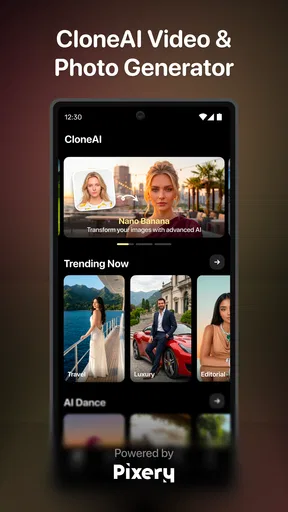
So, how does it all begin? When you first open the app, you're met with a sleek and intuitive interface. It's like they knew exactly what you'd want to see. The navigation is a breeze, and you won't find yourself lost in a sea of confusing menus. Trust me, I've seen some apps that feel like a maze, but this one is refreshingly straightforward.
The app walks you through the setup process with ease. You can either start from scratch or use one of their many templates to kickstart your project. The templates are a real lifesaver if you're not sure where to begin. Just pick one that matches your vibe, and you're off to the races.
Features That Shine
Now, let’s dive into the nitty-gritty of what CloneAI AI Video Generator can do. One of the standout features is its AI-driven editing capabilities. It’s like having a personal editor who knows exactly what you want. You can automate cuts, transitions, and even apply filters with just a few taps.
Want to add some music to your video? No problem. The app offers a library of royalty-free tracks that you can layer into your creation. And if you’re feeling extra creative, you can even import your own tunes.
Seamless Sharing
Once your masterpiece is ready, sharing is a breeze. The app optimizes your video for various platforms, making sure it looks top-notch whether you’re posting on Instagram, TikTok, or YouTube. You can share directly from the app, which is a huge time-saver for anyone who's constantly on the go.
Room for Improvement
Of course, no app is perfect, and CloneAI AI Video Generator is no exception. While the AI features are impressive, there are moments when they can feel a bit too automated. Sometimes, a little manual tweaking is necessary to get things just right. But hey, that's a small price to pay for such a powerful tool.
Another thing to keep in mind is that while the app is quite capable, it might feel a tad overwhelming for complete beginners. A bit of patience and exploration will go a long way in mastering its features.
Final Thoughts
In a world where content is king, having a tool like CloneAI AI Video Generator in your arsenal is a game-changer. It’s not just about creating videos; it’s about expressing yourself in ways you never thought possible. Whether you’re crafting a personal video or a professional ad, this app provides the tools to make it happen.
So, if you’re ready to take your video creation to the next level, give CloneAI AI Video Generator a try. You might just find yourself wondering how you ever managed without it. Happy editing!
A sensible way to decide before spending time or money
CloneAI is free to download, which makes a low-pressure trial reasonable if you’re curious about its visual effects. I would still treat any paid prompt as a separate decision: in-app purchases range from $4.99 to $49.99 per item, so check exactly what is being offered rather than assuming a payment is needed for every basic experiment. If you only want an occasional novelty image, there may be little reason to pay until you know which parts of the app you actually use.
It is also useful to separate a fun result from a usable deliverable. A dramatic transformation can be entertaining in a chat or casual post but may not match a brand’s visual style or a client’s brief. For work that needs consistency, I’d test the same kind of source image more than once and keep a conventional editing route available. AI styling is strongest when surprise is welcome; it is less helpful when the result must match a precise reference.
Choosing source images and judging results
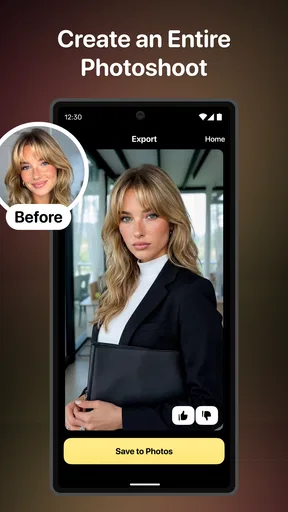
One non-obvious trade-off is that a striking effect can make a weak source photo look more interesting without making it clearer. Before generating, I’d check that the face is visible, the subject is not cropped awkwardly, and the lighting is not so dim that key details disappear. Then I’d compare the transformed version at its intended viewing size. A result that looks impressive when enlarged may feel too artificial when viewed in a small social feed, while a subtler edit can read better on a phone.
I’d also keep a small selection of suitable images rather than repeatedly using the same portrait for every style. Different effects can emphasize different features, and a pose that works for one look may produce an odd result in another. This makes experimentation more purposeful: pick a photo for the effect you want, instead of assuming one image will suit every template or transformation.
How it differs from familiar photo and video editors
Most standard mobile editors put control first: you choose the crop, adjust colour, trim a clip, place text, and decide exactly where each transition lands. This app is more interesting when I want an AI-led change without building the entire result by hand. That distinction matters. Someone who enjoys exploring a few surprising visual treatments may find it more engaging than a conventional editor, while a creator who needs exact pacing or repeatable brand styling will probably prefer a timeline-based tool.
It also sits between a photo filter app and a full production suite. The AI transformation angle gives it a different kind of payoff from basic filters, but it should not be mistaken for a complete workflow for every video task. I’d use it to generate a creative starting point, then move to a familiar editor if I need detailed finishing. Keeping those roles separate helps avoid frustration and gives each tool a job it can do well.
Availability and everyday fit
The app was released on December 21, 2022, and requires Android 8.0 or later. That makes it worth checking the operating-system requirement before planning a test on an older device. Its Everyone age rating is broad, but I would still use judgment when making or sharing images of other people; an age label does not replace a conversation about consent or context.
For a busy day, I’d treat the app as a short creative break rather than something to open when I need a finished clip immediately. For example, while waiting for a friend, I could select a portrait, try one suitable effect on a steady connection, and save the decision about sharing until I’ve looked at the result properly. If the network is unreliable or I’m watching mobile-data use, I’d postpone the experiment instead of repeatedly restarting it. That is the most practical way to keep a playful tool from becoming a source of needless friction.
My connectivity verdict
CloneAI works best for me when I can give it a stable connection, a suitable image, and a little room for experimentation. I would not choose it as the only tool for a deadline-driven video job, nor would I assume every AI result will be ready to publish without review. But for casual, imaginative transformations, its focused appeal is clear. Try it if the process of seeing a familiar photo reinterpreted sounds fun; skip it if you need dependable manual control above all else.
Pros
- Easy to use with intuitive interface.
- High-quality video output every time.
- Wide range of customization options.
- Supports various file formats.
- Quick rendering and export speeds.
Cons
- Limited free version features.
- Occasional app crashes reported.
- Requires significant storage space.
- Subscription can be pricey.
- Needs constant internet connection.
FAQs for CloneAI AI Video Generator
What is the main functionality of CloneAI AI Video Generator?
CloneAI AI Video Generator is designed to automate the creation of videos using artificial intelligence. It allows users to input text, select styles, and let the AI generate visually appealing videos based on the given parameters. This makes it an excellent tool for content creators looking to streamline their video production process.
Is CloneAI AI Video Generator user-friendly for beginners?
Yes, CloneAI AI Video Generator is designed with user-friendliness in mind. The interface is intuitive, featuring simple drag-and-drop functionality and easy-to-follow prompts. Even users with no prior video editing experience can quickly learn how to create professional-looking videos with minimal effort.
What are the system requirements for using CloneAI AI Video Generator?
The app is compatible with both Android and iOS devices. Ensure your device runs on Android version 8.0 or higher, or iOS 12.0 and above for optimal performance. Additionally, a stable internet connection is required for the app to access its AI processing capabilities effectively.
Are there any in-app purchases or subscription fees associated with CloneAI?
CloneAI offers a free version with basic features, but to access advanced functionalities, users may need to subscribe to a premium plan. The subscription includes additional templates, higher resolution exports, and priority customer support, enhancing the overall user experience.
How does CloneAI ensure the privacy and security of user data?
CloneAI is committed to protecting user privacy. The app employs robust encryption protocols to secure data transmission and storage. Additionally, it adheres to strict data privacy regulations, ensuring users' information is handled responsibly and not shared with third parties without consent.


